
Updated October 24, 2026, plans and prices checked the same day on otomatic.ai. This article contains affiliate links.
The short answer
Otomatic is no longer just a WordPress plugin. In 2026 it is an AI agents desktop app for Windows (Mac in early access): you build a team of agents that research, write, build websites, apps or videos, and publish through your own tools. The WordPress Autopilot that made its name is still there, run from the web account. Plans go from €0 (1 agent) to €39, €79 and €199 a month, with 30% off yearly and a limited lifetime offer. The catch: AI usage is not included, you connect your own Codex, Claude Code, OpenRouter or Ollama accounts.
If you read an Otomatic review before 2026, set part of it aside. Most pages that still rank for “Otomatic AI review” describe a WordPress autoblogging plugin sold as a yearly license per number of sites. The product has changed in nature: it now pitches itself as a way to “build your team of AI agents”, with a desktop app, a central chat, specialised agents that hand work to each other and dozens of connectors. Automated WordPress publishing is no longer the core of the offer, just one building block among others.
This review starts again from scratch: what Otomatic offers today, what each plan unlocks, what you will really pay once AI usage is added, and which kind of content publisher it still suits.
Update based on the official otomatic.ai pages (home, pricing, Autopilot, download and help center), checked on October 24, 2026. This page contains affiliate links.
In this review
Otomatic in 2026: from WordPress plugin to AI agent team
Otomatic started as a WordPress extension that could write, illustrate and schedule articles in bulk from keywords, RSS feeds or URLs. That is the product most reviews still online describe, with yearly licenses based on the number of sites.
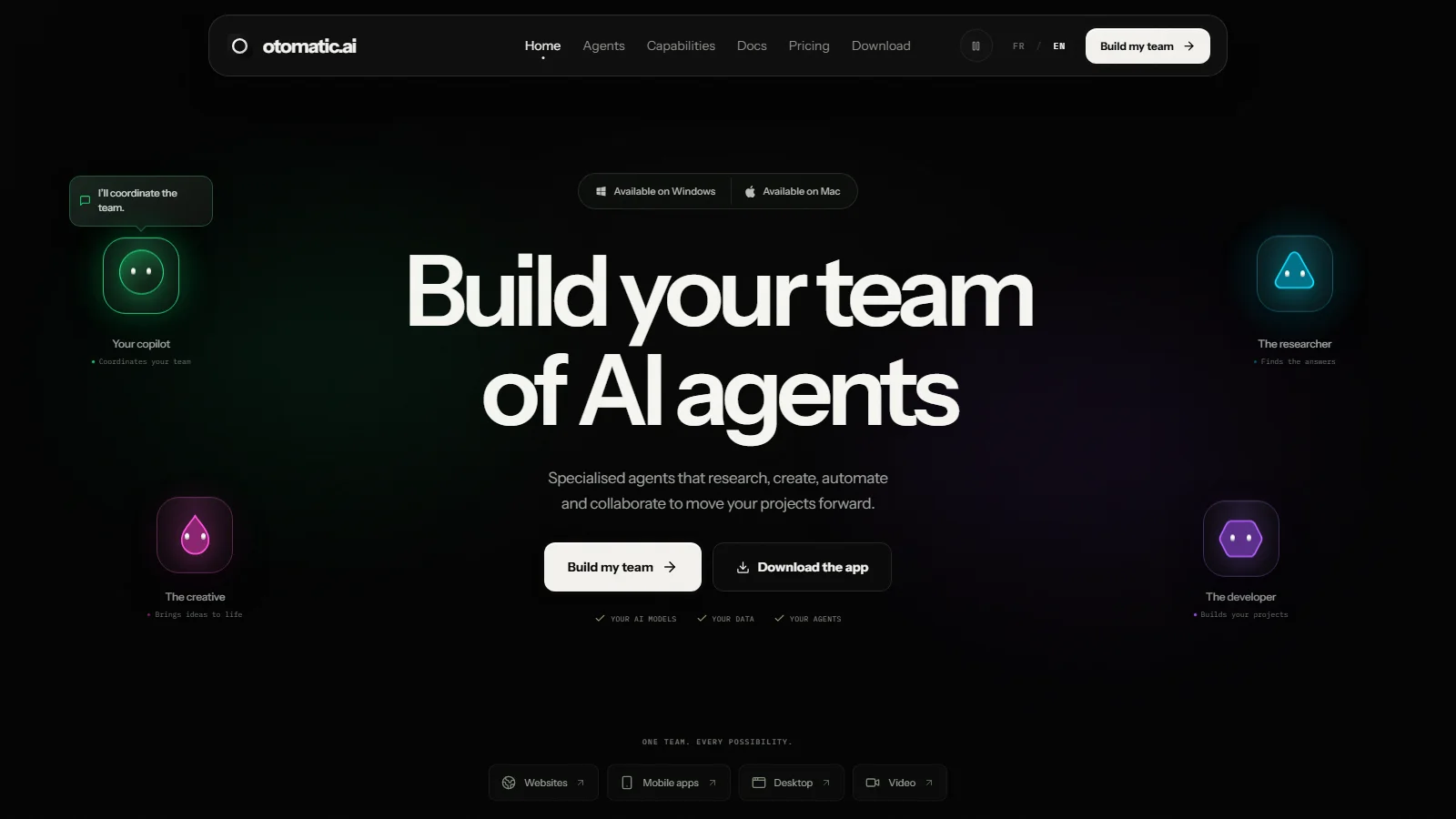
The 2026 version is built on a different idea: instead of a specialised tool, a workspace where AI agents collaborate. You chat with an agent, give it a task, and it can call on other specialised agents: one researches, another writes, a third builds the result. Deliverables go well beyond blog posts: landing pages and business sites, iPhone and Android apps, Mac and Windows software, and edited videos with voice-over and subtitles.
What changed compared with the old plugin
- The main product: a desktop app (Windows available, Apple Silicon Mac in early access) plus a web workspace, instead of a plugin installed on every site.
- The scope: websites, apps, desktop software, videos and automations, beyond article writing.
- The pricing model: plans based on the number of agents (1, 10, 50 or unlimited), no longer on the number of WordPress sites.
- The AI: you still bring your own accounts, now with Codex and Claude Code connected through your account login.
- WordPress: the editorial Autopilot is still offered, run from your Otomatic account through a connection plugin.
How Otomatic works
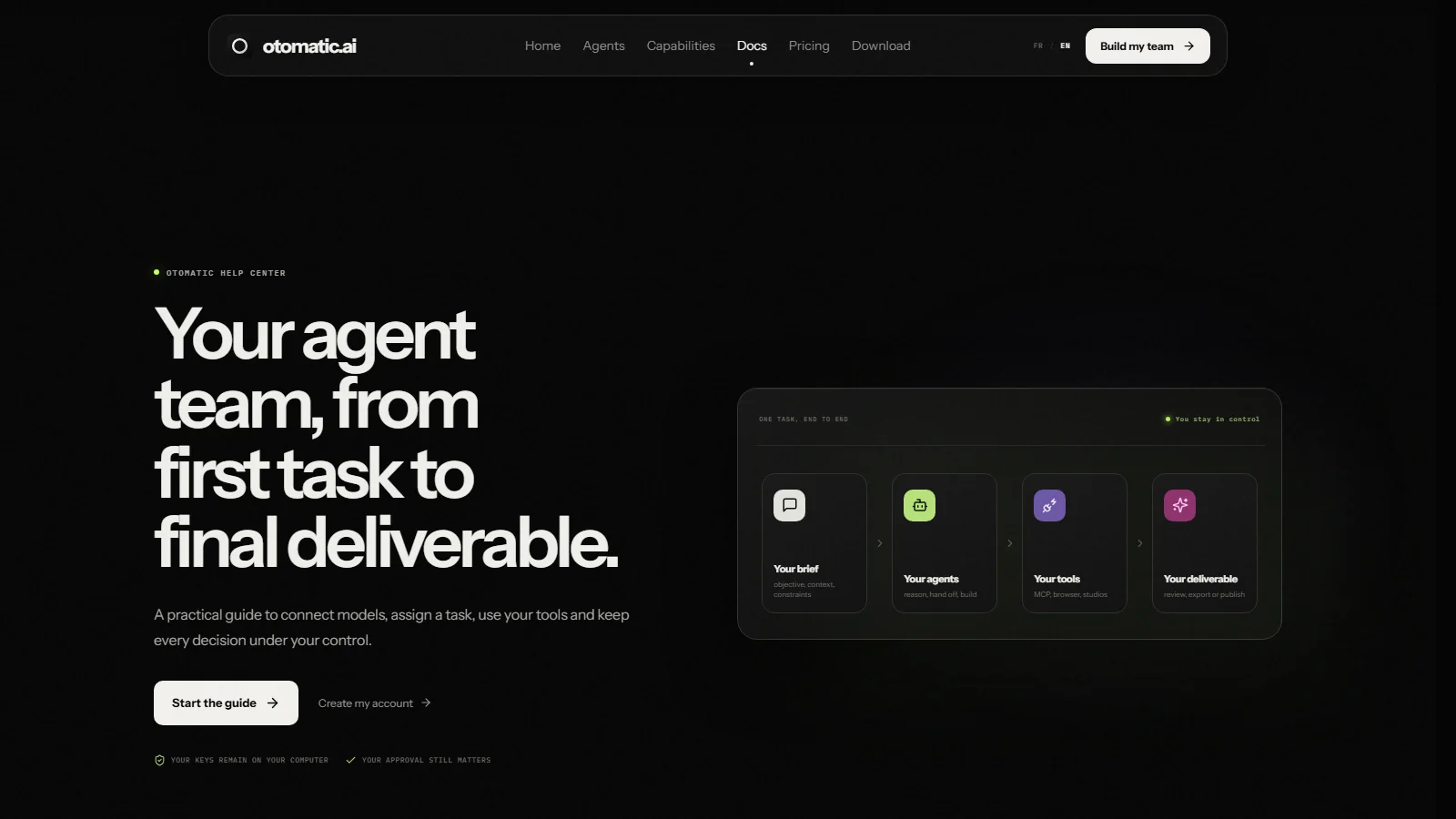
The workflow in the official documentation has four steps. You write a brief (goal, context, constraints). You pick the agent that handles it, generalist or specialised. The agent works with the tools you authorise. Then you review the deliverable and decide whether to export or publish it. Otomatic insists on that last point: publishing, purchases and sensitive actions always go through your approval.
Agents with roles that hand work to each other
An agent is a workspace with a name, a colour, a role and its own conversation. You can set up one versatile team or several specialists, for example a research agent, an SEO writing agent and an agent that builds pages. To make two agents work together, you write an explicit instruction such as “send this summary to Max to build the page”: Otomatic then passes the brief, the result and the instructions into that agent’s conversation.
Your own AI models: Codex, Claude Code, OpenRouter, Ollama
Otomatic does not resell AI. From the settings, you connect accounts you already use:
- Codex, through your ChatGPT account, with no API key;
- Claude Code, through your Claude subscription;
- OpenRouter, with your personal key, to use its model catalogue;
- Ollama, locally or on your own instance, to run open models.
Each agent can use a different model. According to the documentation, provider keys stay stored on your computer. The upside is freedom of choice; the downside is that you need those subscriptions or OpenRouter credit to get serious results.
39 MCP connectors and plugins
Agents take action through MCP connectors: WordPress, Search Console, Analytics, DataForSEO, Gmail, Google Drive, GitHub, Cloudflare, Stripe, Shopify, WooCommerce, Notion, Slack and YouTube, among others. The homepage lists 39 in total. Connections are picked message by message, so a conversation never gets more access than it needs. For an SEO publisher, the Search Console, DataForSEO and WordPress trio is the most relevant: an agent can in principle read your search data, find topics and prepare publishing.
Studios: websites, apps, desktop software and video
From the project launcher, Otomatic offers production “studios”. The Websites studio builds landing pages, business sites, local SEO pages or blogs, with a preview and export to GitHub or Cloudflare. The Mobile apps studio uses Expo and React Native, with a QR code to test the app on your phone. The Desktop studio prepares Electron, SwiftUI or Avalonia apps. The Video studio chains script, voice, media, subtitles and timeline editing, with more than 50 models available through OpenRouter. On top of that come a built-in browser, scheduled tasks, a workflow builder and a project memory called “Second Brain”.
The WordPress Autopilot is still there
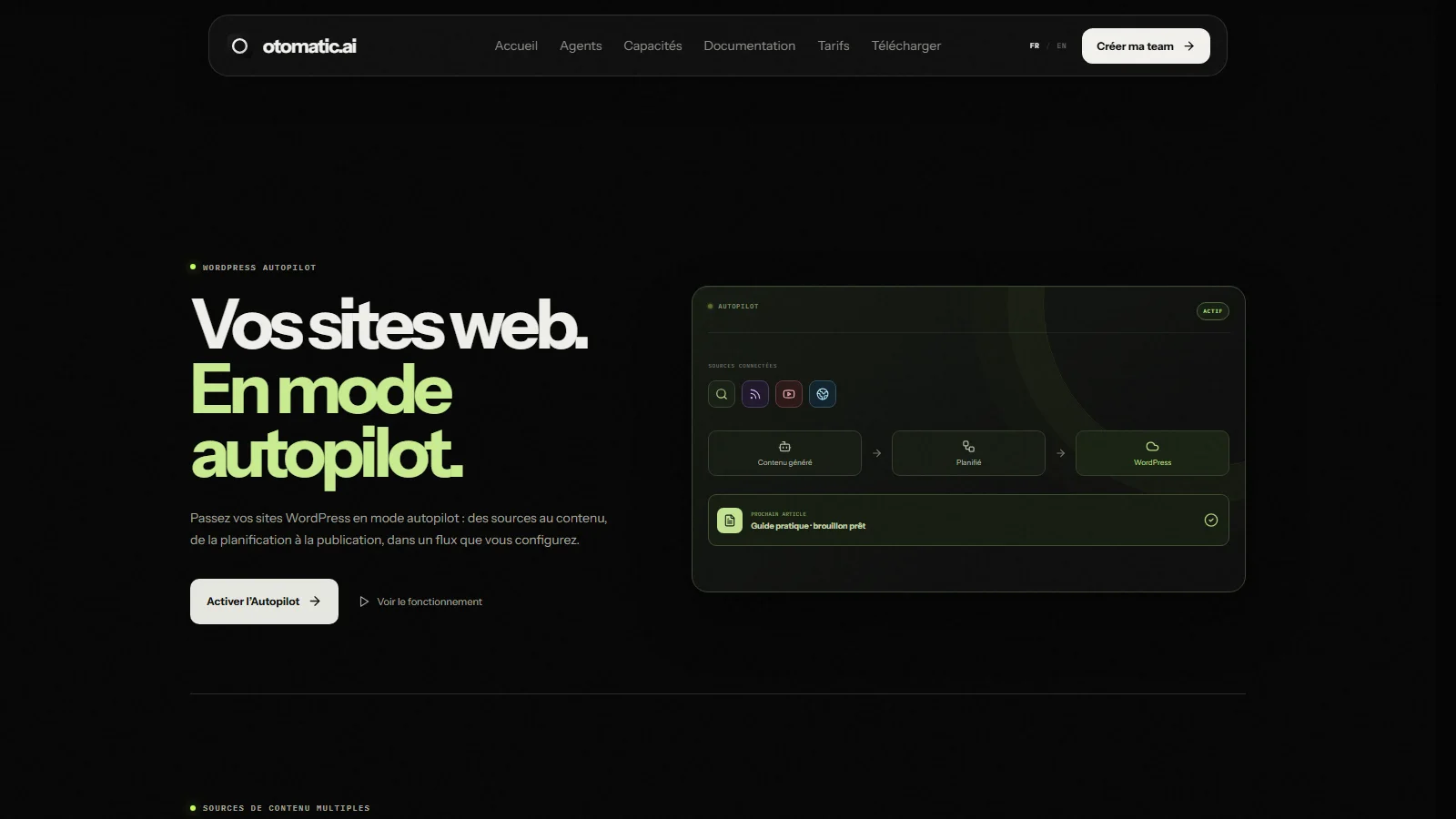
Good news for publishers who picked Otomatic for WordPress: editorial automation has not gone away. It now lives in the web side of the service. You install a plugin on your site, connect it to your Otomatic account, and manage ideas, drafts, schedule and publishing from the browser, without opening the desktop app.
The Autopilot accepts six types of sources:
- a keyword list, with one optimised article per topic;
- URLs to analyse and turn into similar but unique content;
- RSS feeds, to turn new posts into articles;
- XML sitemaps, to spot topics in an existing content structure;
- Google News, to follow trends in a niche;
- YouTube videos, converted into a structured article base.
The flow comes down to four decisions: configure (sources, tone, options), generate, schedule (dates and frequency), publish. Otomatic also promises optimised titles and meta descriptions, performance tracking and adjustable style and length. The Autopilot is included from the Standard plan; the free plan does not unlock it.
Our caution is the same as with the old plugin, and even more relevant after Google’s updates against mass-produced content: publishing generated articles automatically, with no review, is risky. We recommend letting the Autopilot produce drafts, then reviewing, sourcing and enriching them before they go live. For a broader view, read our guide to automating WordPress SEO with AI.
Otomatic pricing (October 2026)
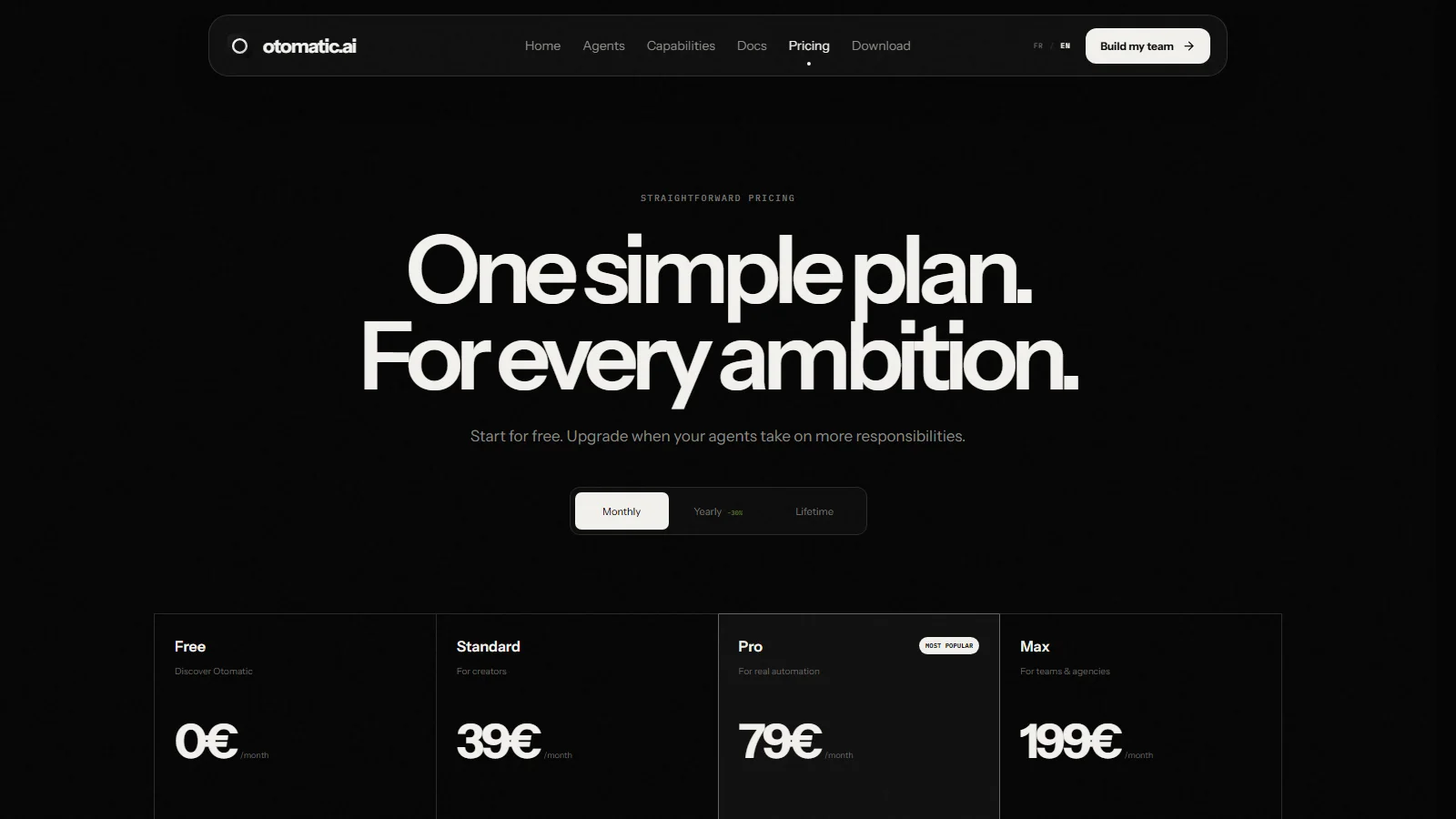
Otomatic shows four plans, each available monthly, yearly with a 30% discount, or as a one-time payment in a lifetime offer presented as limited. The figures below were checked on otomatic.ai on October 24, 2026. Prices are in euros, and the page does not say whether VAT is included.
| Plan | Agents | Monthly | Yearly | Lifetime (limited offer) |
|---|---|---|---|---|
| Free manual agent control |
1 | €0 | €0 | €0 |
| Standard WordPress and AI Autopilot |
10 | €39 | €273/yr (was €390) | €714 (was €1,190) |
| Pro scheduled tasks, workflows |
50 | €79 | €483/yr (was €690) | €1,194 (was €1,990) |
| Max teams and agencies |
Unlimited | €199 | €1,253/yr (was €1,790) | €2,994 (was €4,990) |
What each plan adds, according to the official page:
- Free: create your first team and control one agent manually. Fine for discovering the software, not for automating a site.
- Standard: the full software core, specialised agents and projects, Codex and OpenRouter, WordPress and the AI Autopilot.
- Pro (“most popular”): adds scheduled tasks, multi-agent workflows, routing and automations.
- Max: adds client spaces, team permissions, approval and governance, advanced reporting, maximum production volume and priority support.
The real cost: Otomatic plus your AI provider
Otomatic’s FAQ is explicit: your Otomatic plan and your AI usage are separate. On top of the Otomatic subscription you pay for your models, in one of these forms:
- a ChatGPT or Claude subscription, for Codex or Claude Code;
- pay-as-you-go usage on OpenRouter;
- your own hardware, if you run models with Ollama.
To estimate your real budget, add both lines together. Those providers also have their own usage limits: a high volume of articles or videos may hit your AI subscription caps before Otomatic’s.
Monthly, yearly or lifetime?
On Standard, yearly billing works out at about €22.75 a month instead of €39. The €714 lifetime deal equals just over 18 months of monthly billing, or about two and a half years of the yearly plan. It only makes sense if you are sure you will use Otomatic for several years, which means testing the free plan and a month of Standard first. To compare with other lifetime deals in this space, see our guide to AI SEO tool lifetime deals.
Setup: Windows, Mac and web account
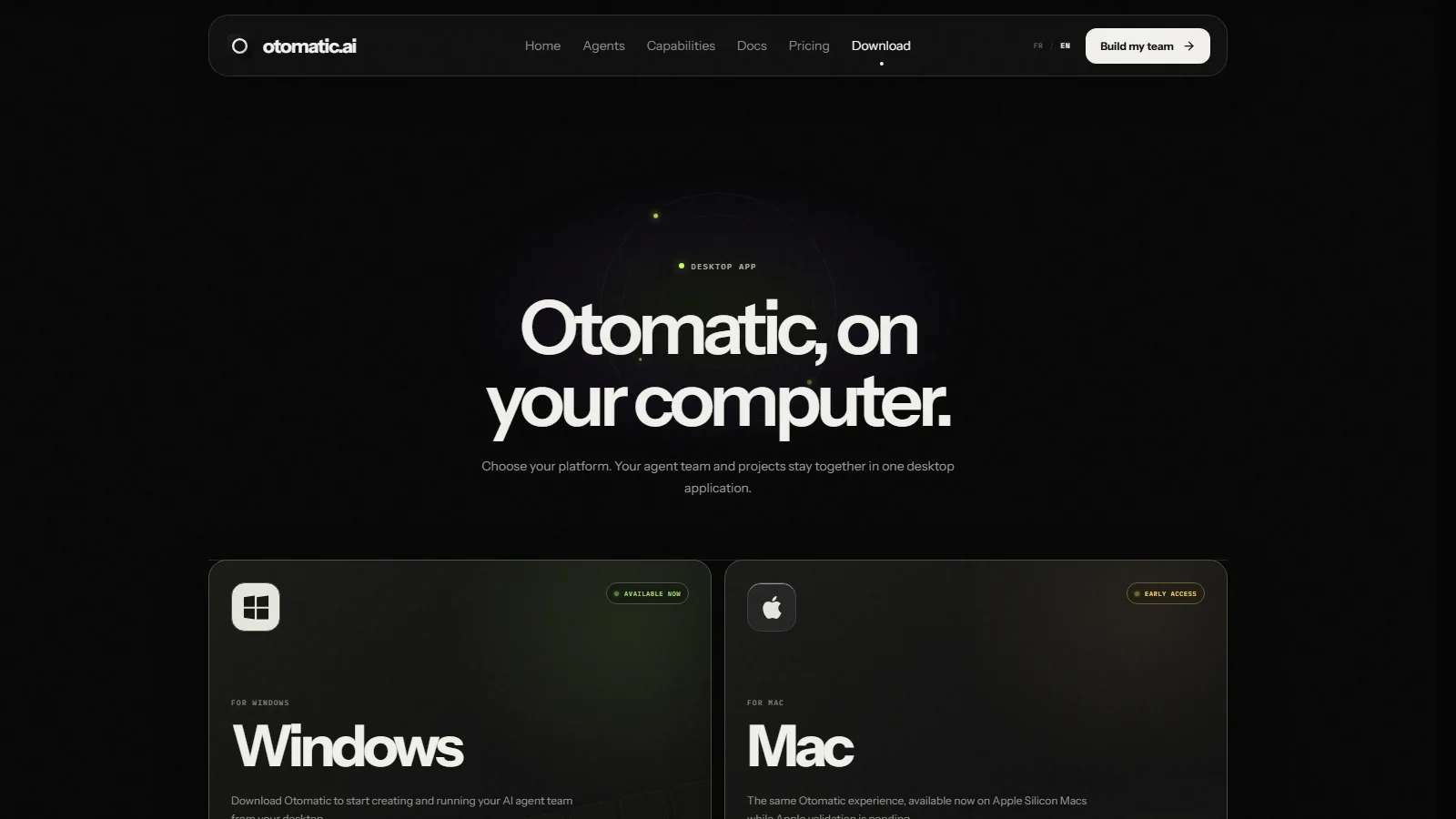
Getting started takes three steps: create an account on studio.otomatic.ai, install the app and connect at least one AI model, then create a first agent with a role and a task. The Windows version is available; the Mac version runs on Apple Silicon in early access while Apple reviews it. No Linux version is mentioned.
The web account handles two things without the app: the WordPress Autopilot and a Site Builder that generates a site from a description, with a responsive preview and online publishing. Do you need to code? Not to get started: you describe your goal in the chat and the agents produce. Otomatic does warn that advanced projects may need technical adjustments, which matches what we see with every tool of this kind.
Pros and cons
Pros
- One app for research, writing, websites, apps and video.
- You choose your AI models and keep control of your keys.
- WordPress Autopilot still included, run from the web.
- 39 connectors, including Search Console, DataForSEO and WordPress.
- Human approval built in before publishing or sensitive actions.
- Free plan to try it, site and docs in English and French.
Cons
- AI not included: you need a ChatGPT or Claude plan, or OpenRouter credit.
- WordPress Autopilot limited to paid plans (from €39).
- Very broad product: less SEO-focused than a dedicated article writer.
- Mac version still in early access, no Linux.
- Few public user reviews of the new version so far.
- Bulk publishing without review is risky for rankings.
Who Otomatic is for, and who should skip it
Otomatic makes sense if you want to delegate varied tasks to agents and already pay for ChatGPT or Claude: a publisher running several sites who wants to automate topic research, WordPress drafts and a few landing pages; a freelancer or small agency producing sites, content and videos for clients (Max adds client spaces and permissions); a maker who wants to prototype an app or internal tool without a tech team.
It is a weaker fit if all you need is to write good SEO articles. In that case a dedicated writer such as Koala AI, or a content optimiser such as Frase or NeuronWriter, gets you there more directly, without orchestrating agents or managing a separate AI provider. And if you are new to SEO, learn to write a solid brief and review output first: agents execute a strategy, they do not replace one.
You want to automate WordPress
Standard plan, Autopilot in draft mode, review before publishing.
You manage clients
Pro for scheduled workflows, Max for client spaces and team permissions.
You only need articles
A dedicated SEO writer is simpler: look at Koala AI or Wisewand.
Otomatic vs the alternatives
Since its pivot, Otomatic no longer compares one-to-one with AI writers: it covers more ground but takes more setup. Here is where it sits against the tools our readers consider most often, with prices checked on October 24, 2026.
| Tool | What it is | Entry price | AI included |
|---|---|---|---|
| Otomatic | AI agents app + WordPress Autopilot | €0, then €39/month | No (your accounts) |
| Koala AI | SEO writer + agent and Content Calendar Autopilot | $25/month (Starter) | Yes, in words |
| Wisewand | Multilingual SEO writer, per-site Autopilot | €42/month excl. VAT (23 credits) | Yes, in credits |
| Frase | SERP briefs and SEO + GEO scoring | $49/month ($39 yearly) | Yes |
| Skoatch | Article packs, no subscription | from $229 per pack | Yes |
For more detail, see our head-to-heads: Otomatic vs Koala AI, Otomatic vs Wisewand, Skoatch vs Otomatic and Otomatic vs Frase.io. Our overall ranking is in the best AI SEO tool.
Verdict
Otomatic made an ambitious bet: moving from an autoblogging plugin to an AI agent platform that produces far more than articles. For a publisher who already pays for ChatGPT or Claude and wants to orchestrate research, WordPress drafts, sites and varied content from one place, the offer is appealing, and Standard at €39 a month (€273 a year) stays reasonable, WordPress Autopilot included.
Approach it for what it has become, though. It is no longer the simplest way to publish SEO articles: it asks you to structure briefs, manage a separate AI provider and review what the agents produce. Our advice: start with the free plan to judge the interface, spend a month on Standard testing the Autopilot in draft mode on a secondary site, and only look at the lifetime deal once you are convinced.
Try Otomatic for free: the free plan gives you 1 agent.
FAQ
Is Otomatic free?
Partly. The Free plan lets you create a first team and control one agent manually at no cost. The WordPress Autopilot, specialised agents and automations require a paid plan, from €39 a month.
How much does Otomatic cost in 2026?
As of October 24, 2026: Standard at €39, Pro at €79 and Max at €199 a month. Billed yearly with 30% off, that is €273, €483 and €1,253 a year. A limited lifetime offer is also available at €714, €1,194 and €2,994.
Is AI usage included in the subscription?
No. You connect your own Codex, Claude Code, OpenRouter or Ollama accounts, which keep their own pricing and limits. Your real cost combines the Otomatic plan and your AI provider.
Is Otomatic still a WordPress plugin?
Not only. It is now an AI agents app for Windows and Mac, with a web workspace. A WordPress plugin is still used to connect your site to the Autopilot, which you run from your Otomatic account.
Do you need to code to use Otomatic?
Not to get started: you describe your goal in the chat and the agents produce. Otomatic notes that advanced projects, such as a mobile app or desktop software, may need technical adjustments.
Does Otomatic work on Mac?
Yes, in early access on Apple Silicon Macs while Apple reviews the app. The Windows version is generally available. No Linux version has been announced.